Future Self™: AI Face Aging
- 4.1
- Rating
- 10.00M
- Installs
- Free
- Price
 Analysis by App-foxy
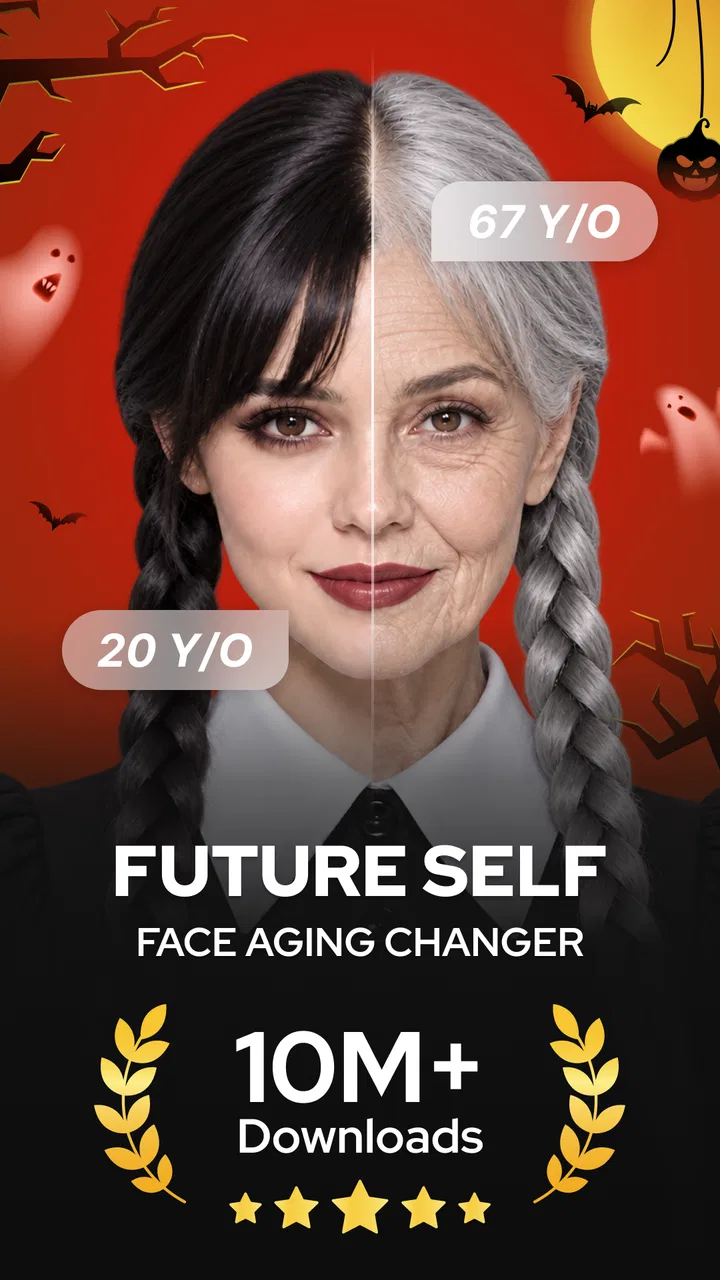
I tried Future Self Face Aging Changer as a quick, playful art and design app rather than as a full photo editor, and that distinction matters. Its main appeal is immediate: choose a face image, explore an older-looking version of yourself, and then use background removal to give the picture a cleaner, more unusual presentation. I found it most enjoyable when I treated the result as a creative experiment instead of expecting a professional portrait workflow.
The app is free to install and is aimed at everyone, so it is easy to approach casually. It comes from AMOBEAR TECHNOLOGY GROUP and has attracted more than ten million installs, which suggests that the idea has broad appeal. Its average rating sits at 3.8 from roughly forty-six thousand ratings, a useful signal that people generally understand the concept but may not all have the same experience with the results or the app’s limits.
How Future Self Face Aging Changer feels today
The strongest part of the experience is the low barrier to entry. I do not need to learn layers, masks, brushes, or complicated adjustment panels before seeing what the app is trying to do. The future-self concept gives the editing session a clear purpose, while the background-removal option adds a second creative direction instead of leaving the app as a single-effect novelty.
You May Also Like

 AccuWeather: Weather Radar
AccuWeather Review: A Quick, Clear Forecast for Everyday Decisions
For everyday plans, the best forecast is the one you can understand quickly. AccuWeather makes rain timing, radar, and local conditions easy to act on, with a few trade-offs.

 Hill Climb Racing
Why Hill Climb Racing Still Turns Crashes Into One More Run
A tiny car, a bumpy hill and one more upgrade: Hill Climb Racing keeps resurfacing because its simple chaos makes every near-miss feel personal.

 AliExpress - Shopping App
AliExpress Makes Global Shopping Feel Personal, but Shoppers Bear the Risk
AliExpress turns a global marketplace into a pocket-sized discovery engine. Its reach is useful, its shopping loop compelling, and its trade-offs easy to miss.

 Lords Mobile: Kingdom Wars
Lords Mobile Is a Kingdom-Building Routine, Not a Quick Match
A case-by-case verdict on the building, battles, device demands, and social commitments that make Lords Mobile rewarding for some players and exhausting for others.

 PDF Scanner app - TapScanner
TapScanner Makes Paperwork Easier to Capture, Check, and Share
TapScanner makes scanning with a phone feel less like a rescue operation and more like a dependable step in getting work done. Its capture tools are useful, though not flawless.

 Block Blast!
 Shows How Much a Puzzle Game Can Leave Out
A quiet grid game shows why puzzle players increasingly value instant clarity, repeatable skill and low-pressure play—and where the genre still needs to catch up.
More From Our News Desk
View All News


That makes it a better fit for quick social images, jokes among friends, profile experiments, and personal curiosity than for careful retouching. If I want to design a polished poster, correct lighting, or control every edge by hand, I would choose a more established photo editor. Here, the attraction is speed and surprise. I can test an idea, decide whether the face transformation looks convincing enough, and move on without investing much time.
The art-and-design classification also makes sense because the app is not simply a camera utility. It changes the visual character of an existing image. The background-removal function is particularly useful when the goal is to isolate a person and place them into a more imaginative composition. Even without advanced layout tools, a cutout can be reused in a collage, a birthday image, a comparison post, or a simple before-and-after concept.
In everyday use, I can imagine opening it before a family chat or a small social post: take a clear portrait, try the aging effect, remove the original background, and save the version that looks most entertaining. The workflow is short enough for that situation. It does not demand the patience of a desktop editor, and that is one of its genuine strengths.
Choosing the right photo makes a bigger difference than expected
The quality of the starting image is central to the result. I would use a face that is well lit, large enough to identify clearly, and not hidden behind hair, sunglasses, hands, or a heavy filter. A tightly cropped portrait gives the effect more useful facial information than a distant group photo. This is not just a general editing tip: an aging transformation has to interpret facial structure, so a weak source image can make the final result feel less natural.
I also recommend keeping one untouched copy of the original before experimenting. That makes it easier to compare the transformation honestly rather than judging the edited image from memory. For a playful post, a slightly exaggerated result may be exactly what I want. For a keepsake or a realistic family comparison, I would be much more selective and would check the image at full size before sharing it.
Background removal deserves its own attention. A person with a clear outline against a contrasting background is a safer choice than a portrait with similar colors around the hair and shoulders. Fine hair, transparent accessories, and overlapping objects are the areas where automatic cutouts commonly become less tidy. I would inspect the edges before using the image in a design, especially if the new background is a solid color that makes small mistakes obvious.
Where the two main tools work well together
The aging effect and the cutout tool can be used as separate experiments, but combining them creates more interesting results. I can first create the future-self version, then isolate the person and place that figure into a simple scene or comparison layout in another editor. This is a practical workaround for users who like the transformation but want more control over the final composition.
There is also a useful storytelling angle. Instead of posting only an altered face, I could make a side-by-side image with the original and transformed portraits, keeping the background simple so the facial change remains the focus. For a playful timeline concept, several versions could be arranged in an external collage app. Future Self Face Aging Changer is not necessarily the entire design process; it can be the specialized first step that supplies the unusual visual material.
That workflow reveals an important trade-off. The app is convenient when I want the transformation quickly, but it may not replace a broader editor for typography, precise placement, color correction, or multi-image layouts. Users who already have a favorite photo-editing suite may prefer to use this app only for the aging or cutout stage and finish elsewhere.
What the current version tells me about the product
The current version is 1.0.8.1_03122025, while the app was released on July 12, 2024. I read that as a sign of a relatively young product that is still being shaped rather than a mature, all-purpose design platform. The version information is useful context: the app has had time to move beyond its initial release, but I would still approach it as a focused tool with room for refinement.
For existing users, an updated version can be reassuring because it shows that the app has not simply been abandoned after launch. At the same time, a version number alone does not tell me that every result will be consistent across different phones or portraits. I would judge the present experience by the images I actually need to create, especially if I plan to use the app regularly rather than once for entertainment.
The practical effect of its current state is that expectations should stay realistic. I would not install it expecting a complete history simulator, a medical visualization, or a professional identity-photo solution. It is better understood as a creative face-aging experiment with a useful subject-isolation feature. That narrower description makes the app easier to appreciate because it matches what the tool is designed to deliver.
Free access, optional spending, and the real decision
The app is free, but in-app purchases range from $2.99 to $69.99 per item. That wide spread means I would pay attention to the screen that appears before confirming anything and avoid assuming that every creative option is included at no cost. A free installation is helpful for testing the basic idea, but it does not automatically mean the complete experience is free.
My advice is to try the workflow with an image that matters less first. If the basic aging and cutout results suit your needs, then you can decide whether any paid option is worth considering. If you only want one amusing portrait, spending may not make sense at all. If you create images frequently and a paid feature removes a repeated inconvenience, the calculation is different, but I would still compare that cost with a general-purpose editor that offers more tools.
This pricing structure also affects who should skip the app. People who dislike optional purchases in creative utilities may find the experience distracting, particularly if they expect every effect to be available immediately. Likewise, professional designers who need predictable export control, detailed masking, and repeatable adjustments will probably be better served by software built around those requirements from the beginning.
Privacy-minded habits and sharing decisions
A face-aging app naturally encourages people to use personal photographs, so I would be thoughtful about whose image I edit and where the finished picture goes. For my own portrait, the decision is straightforward. For a child, relative, client, or colleague, I would ask permission before transforming or publishing the result, even when the intention is only humorous.
I would also avoid treating an altered face as evidence of how someone will genuinely look in the future. The result is a visual effect for entertainment and design, not a reliable prediction. That distinction becomes especially important when sharing images publicly, because viewers may interpret a realistic-looking transformation more seriously than the creator intended.
From a workflow perspective, I would keep the original and edited files clearly separated and review the final image before posting. A quick check catches awkward cutout edges, accidental crops, or a transformation that feels uncomfortable rather than funny. These small habits make the app more enjoyable and reduce the chance of turning a casual experiment into an unwanted public image.
How it compares with ordinary alternatives
Compared with a standard photo editor, this app is faster to understand because its purpose is concentrated around the future-self idea. A general editor gives me more control but also asks me to build the effect manually or search through a larger collection of tools. If I want a quick visual experiment, the focused approach is more convenient.
Compared with a dedicated background-removal utility, its advantage is that the cutout is part of a broader face-focused workflow. Its disadvantage is that a specialist masking app may offer more detailed edge correction or better control over difficult subjects. I would choose the alternative when the person’s hair, clothing, or surroundings require careful cleanup.
Compared with manual aging in a professional design program, the app wins on accessibility and speed but loses on precision. Manual work is slower, yet it allows me to decide exactly where wrinkles, texture, shadows, and tonal changes appear. For a serious illustration or client project, that control matters more than the novelty of an automatic result.
The best comparison is therefore not “which app is universally better?” but “how much control do I need?” Future Self Face Aging Changer is the sensible choice when I want a fast, recognizable concept and do not want to build it from scratch. A broader editor is better when the image has to meet a precise visual brief.
Small workflow improvements that make the app more useful
- Start with a clean portrait: use even lighting and a simple background so the face effect and the cutout have fewer distractions.
- Separate experimentation from publishing: save several candidates, then choose the version with the most natural expression and cleanest edges rather than the most dramatic change.
- Use the cutout as an asset: move the isolated figure into a collage or simple design elsewhere when the app’s focused tools are not enough for the final composition.
- Compare at normal viewing size: an effect that looks impressive when zoomed in may look artificial in a chat thumbnail or social feed.
These steps address a less obvious weakness: the most entertaining output is not always the most usable one. A face can look dramatically older but lose the person’s recognizable expression, while a subtler transformation may work better for a comparison image. I would choose based on the intended audience, not only on the strength of the filter.
Who will enjoy it, and who should pass
I would recommend it to curious users who want a quick face-aging experiment, casual creators building playful posts, and anyone who wants a simple way to isolate a person from a photo. It is also approachable for people who feel overwhelmed by large editing suites. The focused concept gives beginners a clear starting point.
I would hesitate to recommend it to photographers who need fine retouching, designers who require exact masking, or users seeking a dependable prediction of their future appearance. It is also not my first choice for a polished campaign image, a professional portfolio, or any project where repeatable control matters more than speed.
Families and friends can have fun with it, but I would keep the tone respectful. Aging someone without permission, or presenting the result as a serious forecast, can quickly make a harmless tool uncomfortable. Used with consent and a light touch, the app works better as a conversation starter than as a statement about real life.
What I would watch as the app develops
Because the app is still relatively early in its life and currently sits at version 1.0.8.1_03122025, I would watch how future updates affect consistency, ease of use, and the balance between free access and paid options. Those are the areas most likely to determine whether it remains a one-time novelty or becomes a tool I return to for regular creative work.
I would also look for improvements that make difficult portraits easier to handle: clearer guidance for choosing source images, more dependable separation around hair and shoulders, and a smoother path from transformation to finished composition would all make a real difference. I am not treating those as promises; they are simply the changes that would most improve the app’s practical value.
The developer, AMOBEAR TECHNOLOGY GROUP, has a focused concept to build on. If the product keeps the quick, approachable workflow while reducing friction around results and purchases, it could become more useful without losing its simplicity. If it expands too far into a crowded all-in-one editor, its original advantage may become less clear.
My final view is positive but measured. Future Self Face Aging Changer is worth trying because it turns a familiar portrait into an immediate creative experiment and adds background removal for more flexible image ideas. I like it most when I use a clear photo, keep expectations playful, and treat the result as a starting asset rather than a finished professional design.
The free entry makes testing easy, but the optional purchase range means I would inspect the available choices before committing money. For a quick joke, a personal comparison, or a cutout to reuse in another project, it can be genuinely handy. For detailed editing, serious visual work, or realistic future-appearance claims, I would choose a more specialized alternative. Its real strength is focused experimentation, not complete photo-editing control.
FAQs for Future Self™: AI Face Aging
01What is the Future Self Face Aging Changer app?
The Future Self Face Aging Changer app is a fun and intuitive application that allows users to see an aged version of themselves. Using advanced AI technology, it simulates the aging process on user-uploaded photos, providing a glimpse into how one might look in the future. It's a popular choice for those curious about their future appearance.
02How accurate is the aging simulation in the app?
The app uses sophisticated algorithms and AI to predict aging effects with reasonable accuracy. However, it's important to remember that the results are based on general patterns and cannot account for individual genetic and lifestyle factors. While entertaining and insightful, the app’s predictions should be taken with a grain of fun.
03Is the Future Self Face Aging Changer app safe to use?
Yes, the app is designed with user safety in mind. It processes photos locally on your device, ensuring that your data remains private. However, as with any app, it's crucial to review permissions and ensure that you're comfortable with the data it accesses before downloading.
04Are there any costs associated with using the app?
The app offers both free and premium features. While basic aging simulations are available for free, additional features like high-resolution images, ad-free experience, and more advanced options may require in-app purchases or a subscription. Users should review pricing details within the app for clarity.
05What are some common problems users face with the app?
Some users have reported issues like app crashes or long processing times, especially on older devices. Additionally, the app's results can vary based on photo quality and lighting. Ensuring your device's software is up to date and using well-lit, high-quality images can help improve performance.
Pros
- Realistic aging effects.
- User-friendly interface.
- Quick processing speed.
- Fun for social media sharing.
- No in-app purchases required.
Cons
- Limited free features.
- Ads can be intrusive.
- Requires internet connection.
- Occasional app crashes.
- Limited customization options.

Future Self™: AI Face Aging
Gallery